Activating SQL Enlight
Introduction
Section titled “Introduction”Evaluation period
Section titled “Evaluation period”When you install SQL Enlight, you have a 14 day trial period in which you can evaluate the product.
After your trial period expires or prior to its expiration, you can purchase the product.Then you will be sent a product key, which you will later use when activating the product.
Activation options
Section titled “Activation options”For purposes of product activation only, a non-unique hardware identifier is created from general information that is included in the system components. At no time are files on the hard drive scanned, nor is personally-identifiable information of any kind used to create the hardware identifier. Product activation is completely anonymous. To ensure your privacy, the hardware identifier is created by what is known as a “one-way hash”. To produce a one-way hash, information is processed through an algorithm to create a new alphanumeric string. It is impossible to calculate the original information from the resulting string. Therefore, if you later consider re-installing the product on the same machine, for example following installation of a new operating system, you can re-activate the product using the same serial number.
In case you need to change the computer on which the product is installed or have changed major components of your computer’s hardware configuration, your current product key won’t work and you’ll have to request a new product key form us. To do this you can contact SQL Enlight Support at [support@sqlenlight.com](/mailto:support@sqlenlight.com?subject=[Enter Product Name] Activation Problem&body=[ Please describe the problem here. ]) .
You can choose between two activation methods:
-
Online activation Using Online activation method you can activate the product on Internet.
-
E-mail activation Activation by e-mail is most suitable if you don’t have a Internet access, if your network is protected by a firewall or uses a proxy server that interrupts contact between your product and the activation Web service or you are concerned about the information that is transferred during the activation process.
Email Activation
Section titled “Email Activation”Email activation is split into two phases Generate Activation Request
Phase 1 - Generate Activation Request
Section titled “Phase 1 - Generate Activation Request”- Enter your product key
To activate the product you must supply the product key that you have received after purchasing the copy of SQL Enlight software.The product key must be entered in the form you have received it including the separating ‘-’. If you haven’t purchased the product and you don’t have a valid product key, you won’t be allowed to continue with the activation process.
Note: If you have purchased the software and still receive a message that your product key is not valid, contact us at this e-mail address [sales@sqlenlight.com](/mailto:sales@sqlenlight.com?subject=Product Key Not Accepted&body=[ Enter Product Key Here ]) .
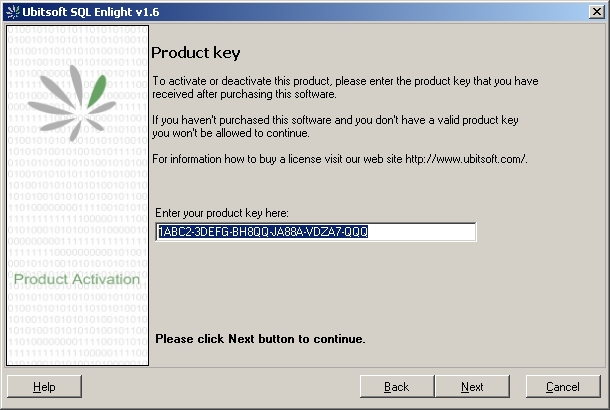
- Start e-mail activation by selecting the I would like to start en e-mail activation nowoption and click Next.
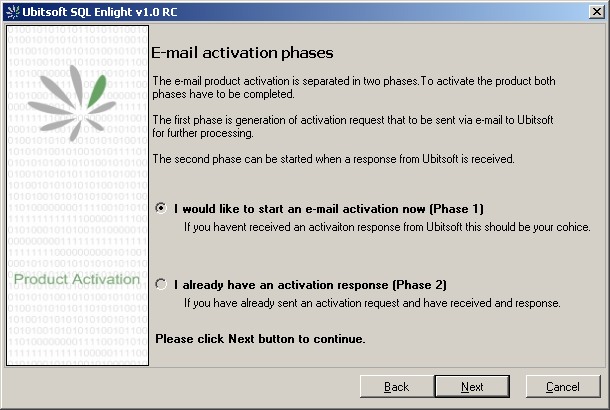
A request for activation will be generated and shown to you.
You can either copy the XML request and sent it as a plain text e-mail to [activate@sqlenlight.com](/mailto:activate@sqlenlight.com?subject=[ Enter Product Name ] Activation&body=[ Enter Activation Request Here ]) or click Generate e-mailbutton that generates the e-mail with the activation request for you.
Send the e-mail, and you should receive an activation response within a few minutes.
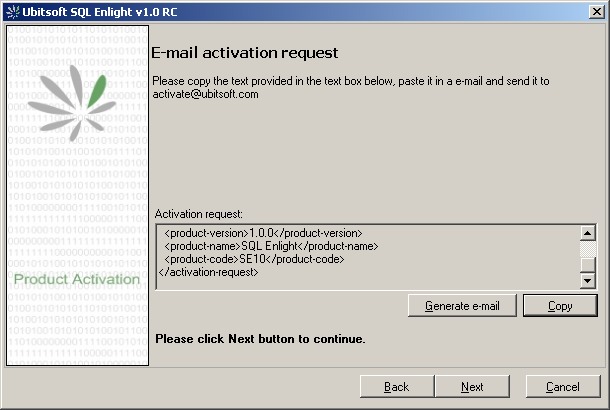
Note: If you still don’t receive a response in 24h, please contact SQL Enlight support at [sales@sqlenlight.com](/mailto:sales@sqlenlight.com?subject=Missing Activation Response&body=[ Enter Activation Request Here ]) . When you receive an activation response e-mail from us, you can complete the product activation process, first by starting the activation wizard again.
Phase 2 - Finish Product Activation
Section titled “Phase 2 - Finish Product Activation”- Again enter your product key
- Chose to I already have an activation responseoption and click Next
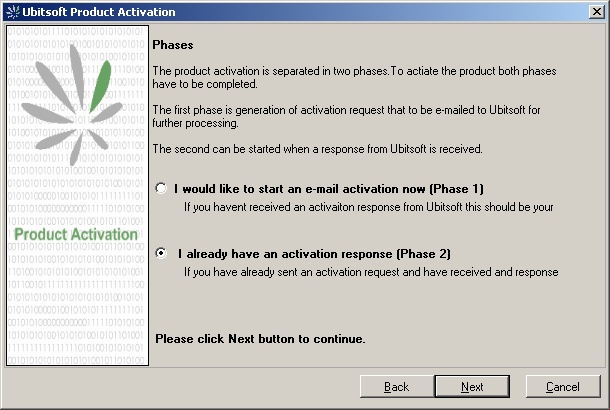
In the response e-mail, copy the activation response message from the e-mail you have received, paste it into the text box, and click Next.
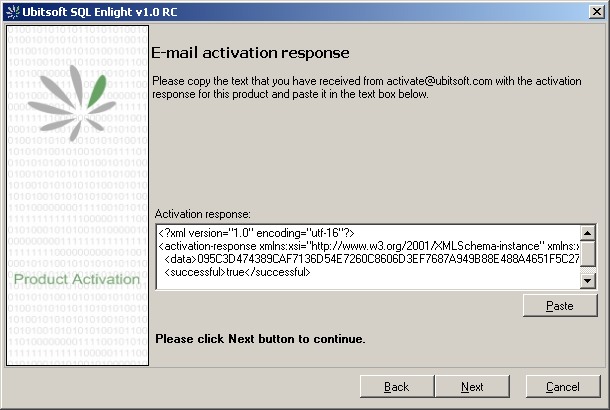
Note: If for some reason your activation fails, please first check if you have correctly copied and pasted the whole activation response message in the text box. If the message is the same as in the activation e-mail and still cannot continue, please contact our support at [support@sqlenlight.com](/mailto:support@sqlenlight.com?subject=[Enter Product Name] Activation Problem&body=[ Please describe the problem here. ]) .
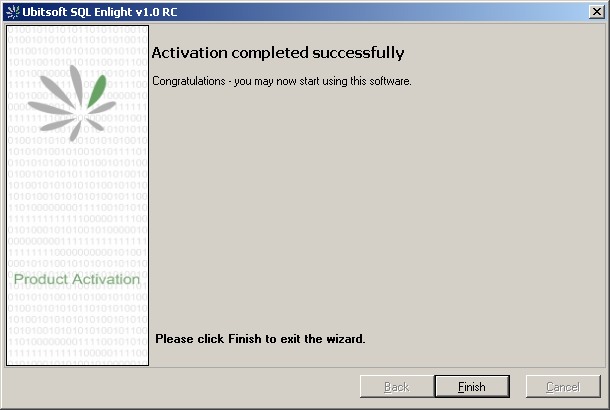
- Click Finish. You can now continue to use your product
Online Activation
Section titled “Online Activation”- Enter your product key
- Choose Online activation
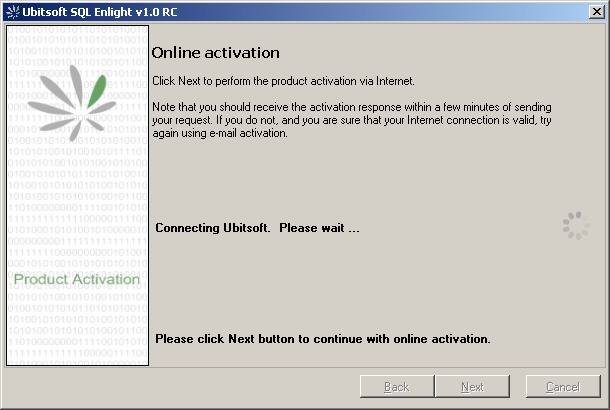
- Click Nextbutton to proceed with the activation
Note that you should receive the activation response within a few minutes of sending your request. If you do not, and you are sure that your Internet connection is valid, try again using e-mail activation.
- Click Finish. You can now continue to use your product