Encapsulate as SP_ExecuteSQL Call
Introduction
Section titled “Introduction”The Encapsulate as SP_ExecuteSQL Callcommand converts the selected code into a call to the sp_executesql stored procedure.
The Encapusulate as SP_ExecuteSQL Callcommand modifies the source script and wraps the selected code as a call to the sys.sp_executesql stored procedure.
To encapsulate the selected code:
-
Select the script that you want to encapsulate.
-
On the SQL Enlight->Refactormenu, click Encapusulate as SP_ExecuteSQL Call.
-
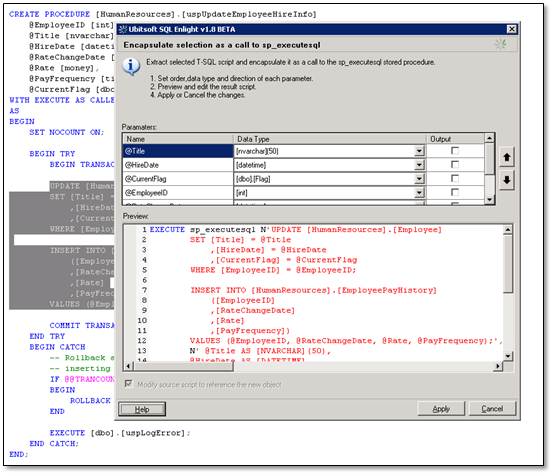
The Encapsulate as SP_ExecuteSQL Calldialog box is displayed.
The resulting SQL script is displayed in the Previewbox.
-
Modify the order, the type and the direction of the parameters using the Parameters grid.
-
Review the generated script in the Previewbox and modify it if necessary.
-
Click Applybutton to apply the changes.
Parameters
Section titled “Parameters”The parameters of the new objects are determined from the variables which are referenced in the selected code.
SQL Enlightautomatically resolves the data type and the direction of these parameters. If a variable is used but declared nowhere in the script, its declaration in the resulting script will have sql_variantdata type.