Team Settings
Introduction
Section titled “Introduction”This topic describes Team Settings configuration options.
Team Settings
Section titled “Team Settings”The Team Settings override local user settings with a preset configuration and allow the use of common settings for a whole team.
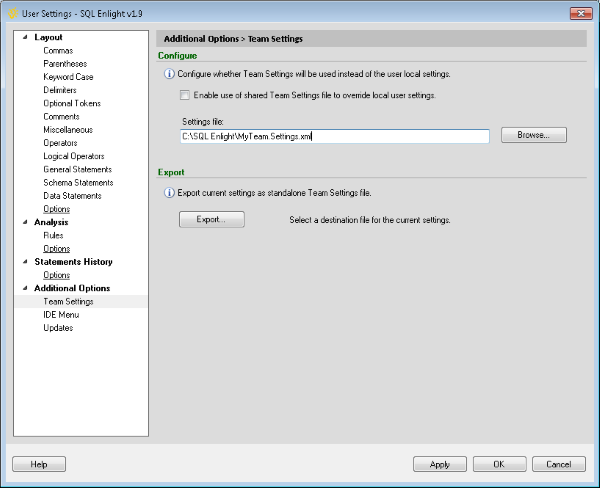
Export current settings as Team Settings
Section titled “Export current settings as Team Settings”The Exportbutton creates predefined standalone settings based on the current user settings.
After being exported, the created settings file can be then placed on a network share and referenced by all team members.
Configure Team Settings
Section titled “Configure Team Settings”After providing a settings file and enabling the Team Settings, the Options form have to be confirmed in order for the Team Settings to get active.
⚡ ** important: ** When Team Settings are active, the SQL Enlight settings are in read-only mode and cannot be modified.
The only setting that is available for modifications is the enabling/disabling of Team Settings.